Talk it
out. We’ll
take notes.
Dipper turns rambling voice memos into transcripts, summaries, key points, and action items — quietly, automatically, in 16 supported transcription languages. Coming soon to iOS & Android.
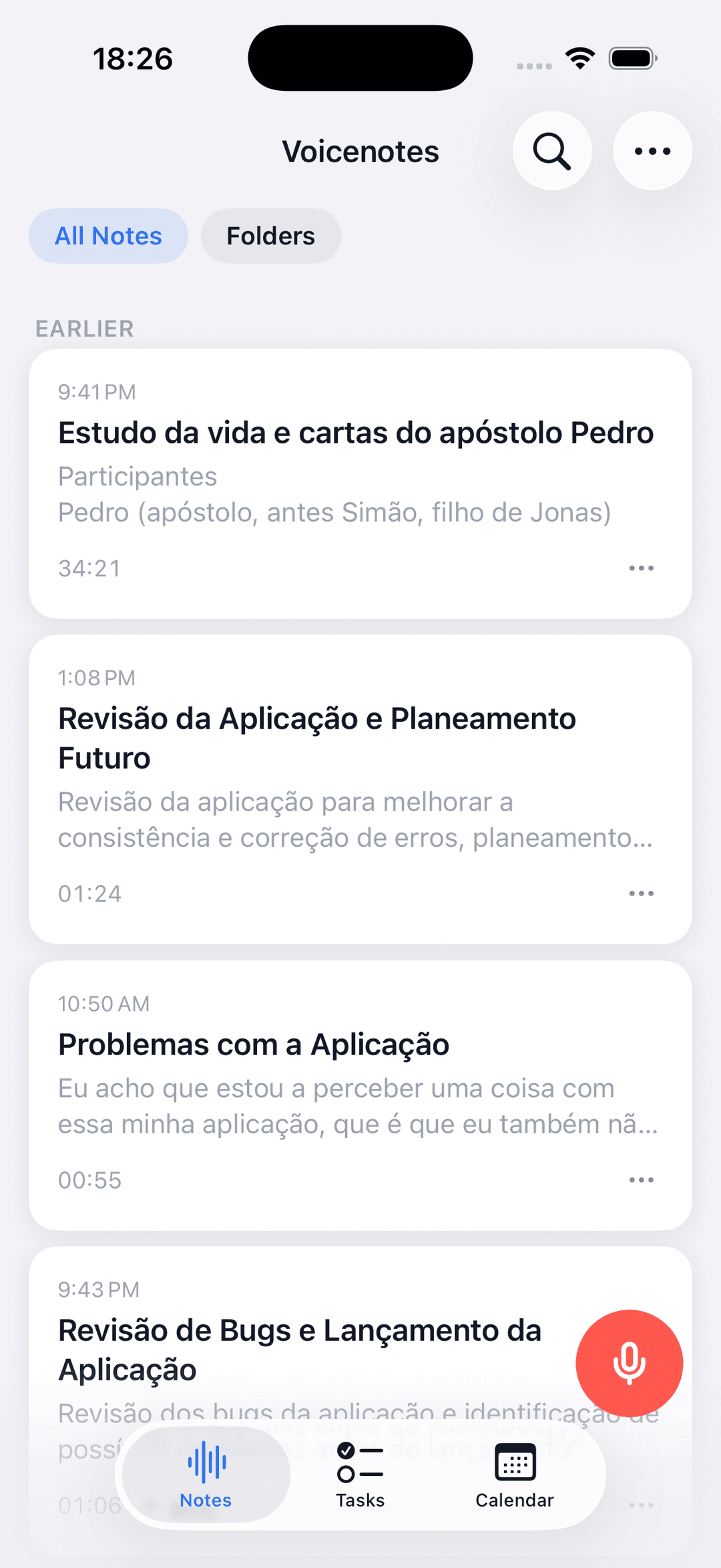
Three taps
from thought to done.
You speak the way you think — loose, tangential, mid-sentence pivots. Dipper listens carefully, then hands back structure: a transcript, a summary you can skim, points you can quote, and action items you can act on.
Hit the button. Talk freely.
Record meetings, ideas, rants, or rambles. Longer sessions are automatically split into segments in the background.
Dipper organizes the mess.
Pick a template up front or stick with your default. You get a transcript, summary, key points, and action items in the same language as the recording.
Review, promote, revisit.
Turn important action items into tasks, play the audio back later, or ask questions across your notes with citations.
Every rambling
thought, filed neatly.
Each recording can get a title, summary, extracted action items, playback, and optional folder organization — all written in the same language you spoke in.
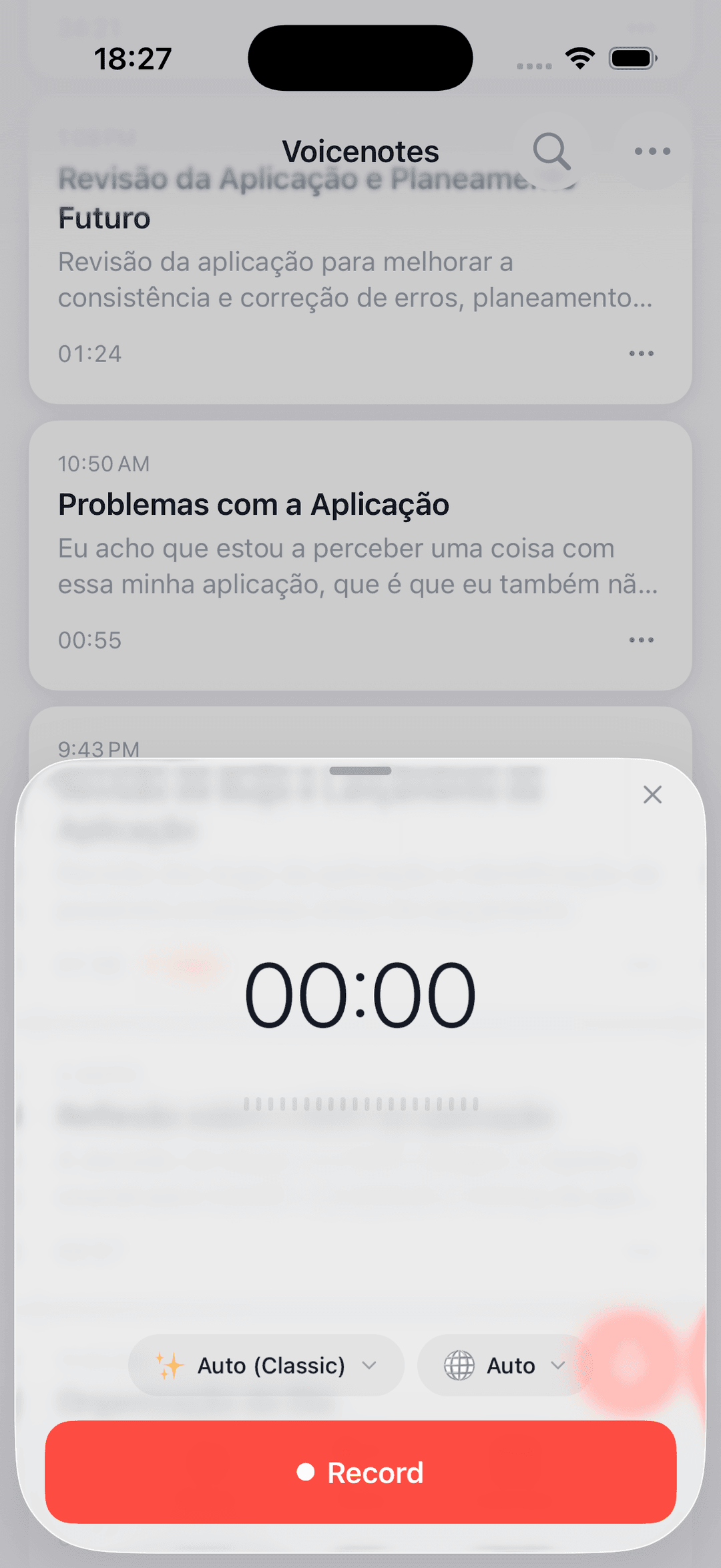
One button, clear defaults
Choose a template before you start, plus the transcription language you want to use.
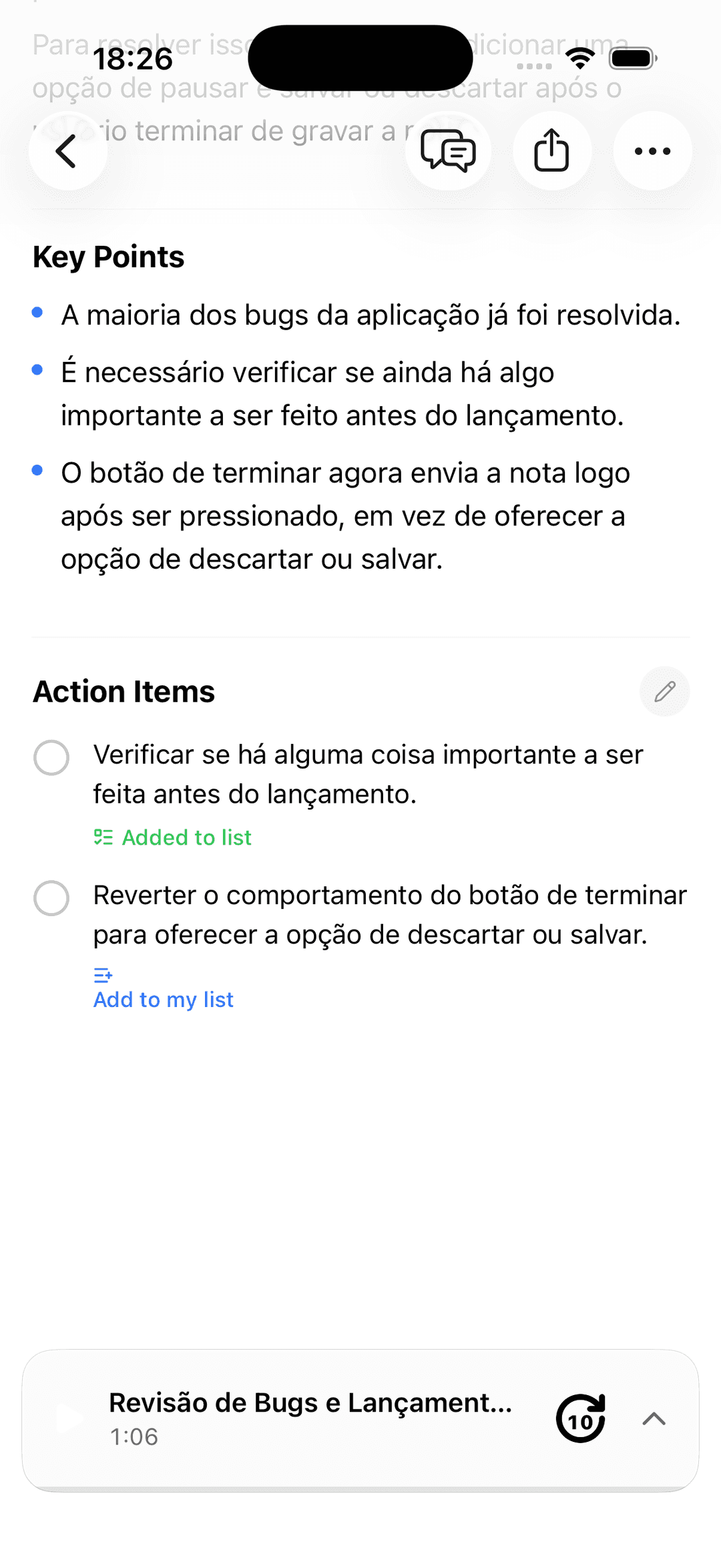
A tidy brief, seconds later
Transcript, summary, key points, and audio playback stay together in the same note.
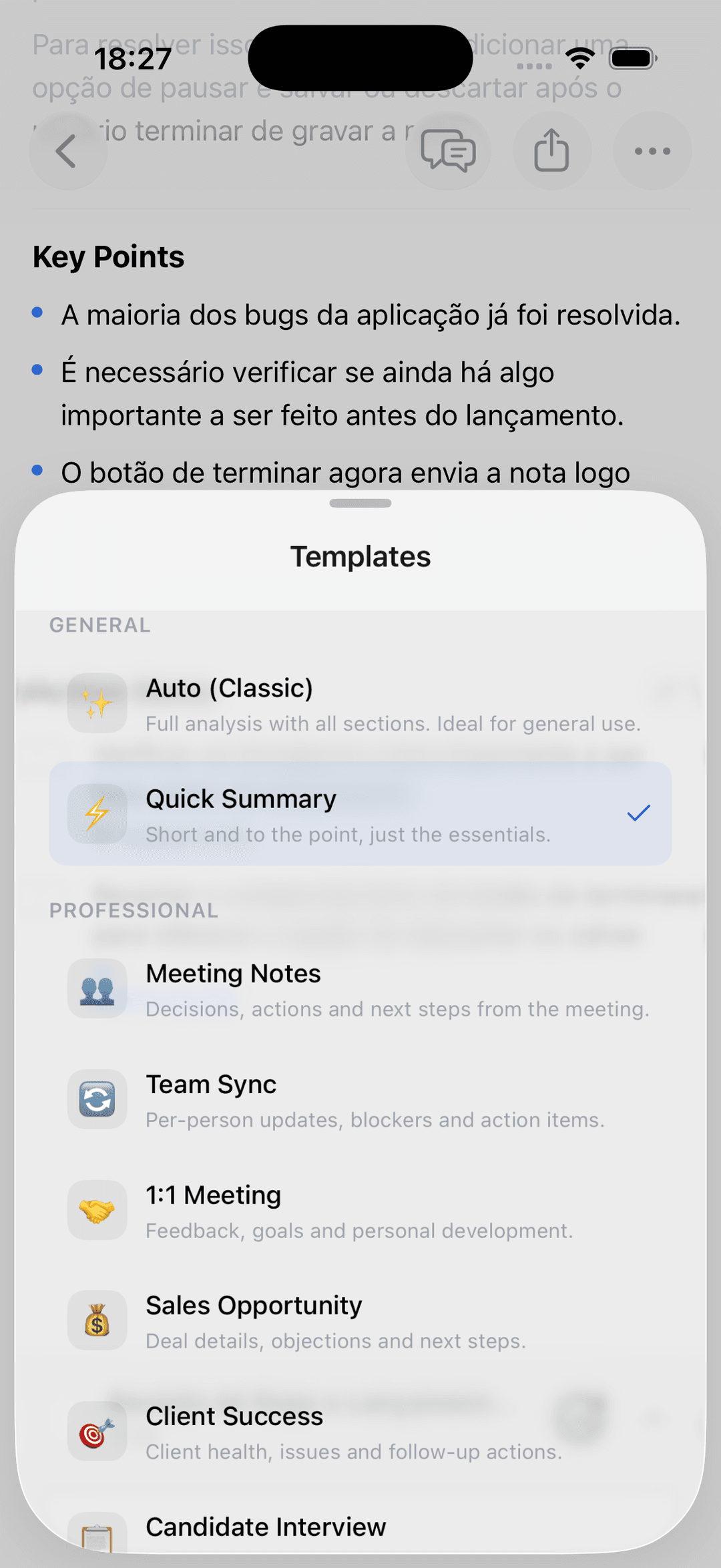
From voice to next step
Turn important action items into tasks and jump back to the source note whenever you need context.
Small details.
Big difference.
The things a voice note app should have done all along — done thoughtfully, and out of your way.
Eleven templates, built in.
Use the default template for everyday notes or switch per recording for meetings, interviews, lectures, sales calls, religious meetings, and more.
Speaks how you speak.
Choose a transcription language before you record, or leave Auto on to use your app language as a hint. Summaries stay in the original spoken language.
Organized when you want it.
Create folders yourself or let AI sort notes into matching folders and suggest new ones.
Action items, surfaced.
Every note can include extracted action items, and you can promote the ones that matter into your task list.
Browse notes by day.
The calendar view groups notes by the day they were created so you can jump back to any date quickly.
Chat with anything you’ve said.
Ask “what did I decide about pricing?” and get an answer with citations pulled from your own notes.
“I stopped taking notes. I just talk now.”
Questions,
answered.
Is my audio private?
Your notes are stored in your account so the app can transcribe, summarize, search, chat, and play them back later. We do not train AI models on your notes, and deleting a note removes its transcript, summary, embeddings, and associated audio from storage.
How long can a recording be?
Long recordings are automatically split into segments before upload and processing, so extended sessions still come back as one note.
Which languages work best?
Dipper currently supports transcription in 16 languages. The app interface is localized in English, Portuguese, and Spanish, and summaries stay in the same language as the recording.
Does it work offline?
Recording works offline. If you lose connection, uploads and AI processing resume when you’re back online.
How much does it cost?
The free tier lets you try with 1 note. After that, subscription options will be available through Apple App Store or Google Play billing once the app launches.
When will the app be available?
Dipper is currently in development. Join the waitlist and we’ll notify you as soon as it’s ready for download on iOS and Android.
Say it. Keep it.
Dipper is coming soon to iOS & Android. Join the waitlist and be the first to know when we launch.